
In this tutorial, we’ll take a look at how to scrape ZoomInfo for public company data.
We’ll start with an overview of how Zoominfo.com works so we can find all public company pages. Then we’ll scrape company data using Python with a few community packages.
Key Takeaways
- Learn ZoomInfo scraper techniques using Python with Playwright for JavaScript-heavy interfaces and embedded JSON data extraction from company profiles
- Use Playwright for browser automation to handle ZoomInfo’s JavaScript-heavy interface and dynamic loading
- Parse HTML with parsel to extract company profiles, financial data, and employee information
- Handle ZoomInfo’s anti-scraping measures with proper browser automation and realistic user behavior
- Extract comprehensive company data including credentials, contact details, and business intelligence
- Implement proper session management and cookie handling for sustained data collection
- Use specialized tools like WebParsers for automated ZoomInfo scraping with anti-blocking features
Why Scrape Zoominfo?
Zoominfo.com hosts millions of public company profiles that contain company credentials, financial data, and contacts. Company overview data can be used in business intelligence and market analysis. Company contact and employee details can be used in lead generation and the employment market.
Project Setup
In this tutorial, we’ll be using Python and a couple of popular community packages:
- httpx – an HTTP client library that will let us communicate with Zoominfo’s servers
- parsel – an HTML parsing library, though we’ll be doing very little HTML parsing in this tutorial and will be mostly working with JSON data directly instead
- Playwright – a headless browser we’ll use to scrape dynamically loaded content on Zoominfo
These packages can be easily installed via pip command:
$ pip install httpx parsel playwright
Alternatively, feel free to swap httpx out with any other HTTP client package such as requests, as we’ll only need basic HTTP functions which are almost interchangeable in every library. As for parsel, another great alternative is the BeautifulSoup package.
How to Scrape Zoominfo Company Data
To scrape a company profile listed on Zoominfo, first let’s take a look at the company page itself. For example, let’s see this page for Tesla Inc: zoominfo.com/c/tesla-inc/104333869
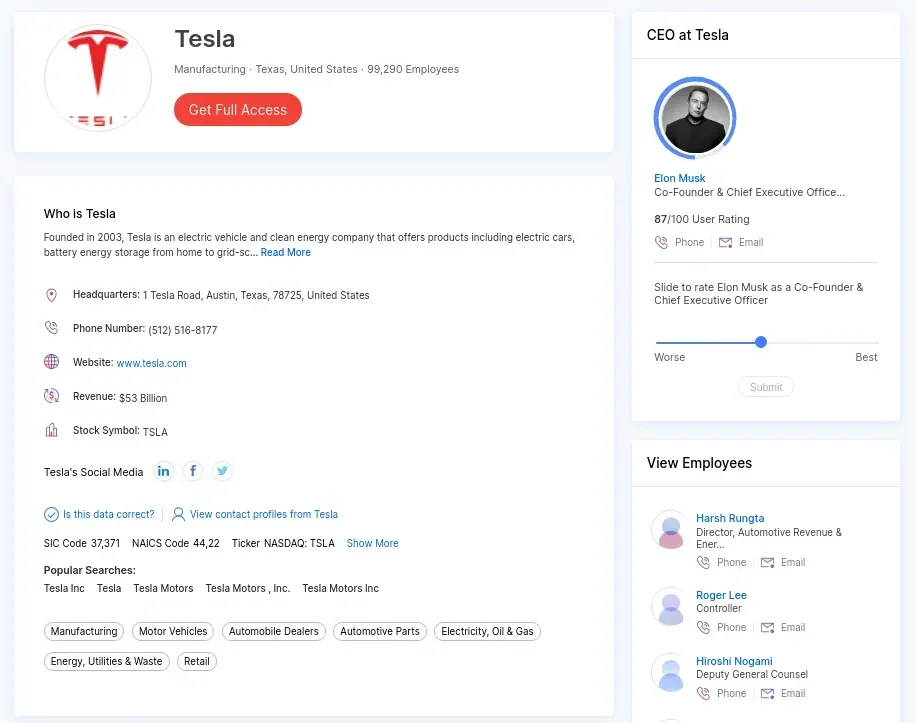
The visible HTML is packed with data. However, instead of parsing it directly, we can take a look at the page source of the web page and see that the data is embedded as a quoted or raw JSON file.
So, instead of parsing the HTML, let’s pick up this JSON file directly:
import asyncio
import json
from pathlib import Path

import httpx
from parsel import Selector


def parse_company(selector: Selector):
    """parse Zoominfo company page for company data"""
    data = selector.css("script#ng-state::text").get()
    data = json.loads(data)["pageData"]
    return data


async def scrape_company(url: str, session: httpx.AsyncClient) -> dict:
    """scrape zoominfo company page"""
    response = await session.get(url)
    assert response.status_code == 200, "request was blocked, see the avoid blocking section for more info"
    return parse_company(Selector(text=response.text, base_url=response.url))
Note: Zoominfo is known for its high blocking rate. If you are blocked, consider using WebParsers to avoid Zoominfo scraping blocking.
We can see how incredibly short, efficient, and simple our Zoominfo scraper is using this approach!
Now that we know how to scrape a single company’s page, let’s take a look at how to find company page URLs so we can collect all of the public company data from Zoominfo.
Finding Zoominfo Company Pages
Unfortunately, Zoominfo doesn’t provide a publicly accessible sitemap directory as many other websites do. So, we either need to explore directories by location/industry or search companies by name. Let’s take a look at two of these discovery techniques.
How to Scrape Zoominfo Directories
Zoominfo.com has public company directory pages for many locations or industry types. However, these directories are limited to 100 results (5 pages) per query. For example, to find “software companies in Los Angeles” we could use this directory page:
zoominfo.com/companies-search/location-usa--california--los-angeles-industry-software
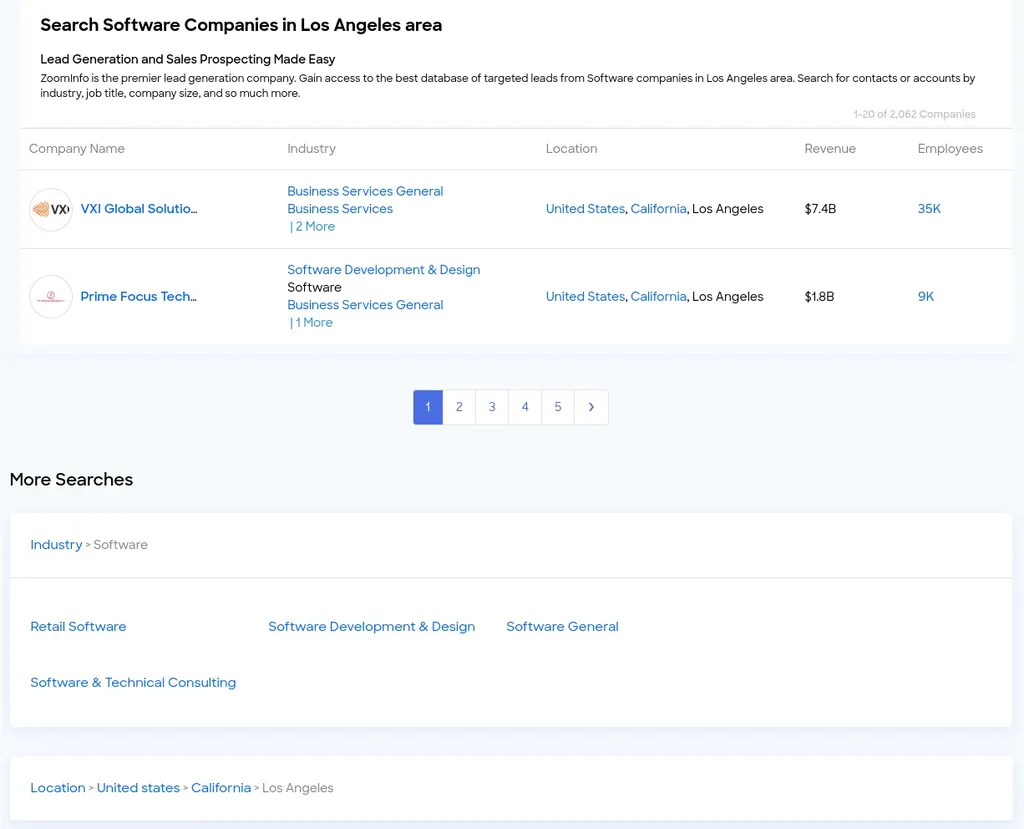
The directory contains 5 pages of results and related directories. Picking up the first 100 results from each directory page can give us a good amount of results, and it’s an easy scrape:
import httpx
import json
from parsel import Selector
from typing import List

def scrape_directory(url: str, scrape_pagination=True) -> List[str]:
    """Scrape Zoominfo directory page"""
    response = httpx.get(url)
    assert response.status_code == 200  # check whether we're blocked
    # parse first page of the results
    selector = Selector(text=response.text, base_url=url)
    companies = selector.css("a.company-name.link::attr(href)").getall()
    # parse other pages of the results
    base_url = "https://www.zoominfo.com/"
    if scrape_pagination:
        other_pages = selector.css('a.page-link::attr(href)').getall()
        for page_url in other_pages:
            companies.extend(scrape_directory(base_url + page_url, scrape_pagination=False))
    return companies

data = scrape_directory(
    url="https://www.zoominfo.com/companies-search/location-usa--california--los-angeles-industry-software"
)
print(json.dumps(data, indent=2, ensure_ascii=False))
In our short scraper above, we pick up all 5 pages of our directory page. To extend this, we can employ a crawling technique by exploring related companies in each company we scrape. If we take a look at the dataset we scraped before, we can see that each company page contains a list of up to six competing companies:
"competitors": [
  {
    "id": "407578600",
    "name": "NIO",
    "employees": 9834,
    "revenue": "720117",
    "logo": "https://res.cloudinary.com/zoominfo-com/image/upload/w_70,h_70,c_fit/nio.com",
    "index": 0
  },
  "..."
],
So, by scraping all companies available in the directories and their competitors, we can reach pretty high coverage rates. This approach is generally referred to as crawling. We have a starting point of a single or few URLs, and by scraping those we acquire more URLs to follow.
Our Zoominfo crawler has decent discovery coverage by combining these two techniques, even with paging restrictions of 5 pages per directory.
Next, let’s add an additional feature to our Zoominfo scraper. We’ll scrape FAQ data on company pages.
How to Scrape Zoominfo Company FAQs
Zoominfo also offers a FAQ section on each company page, which includes valuable data about the company found as questions and answers.
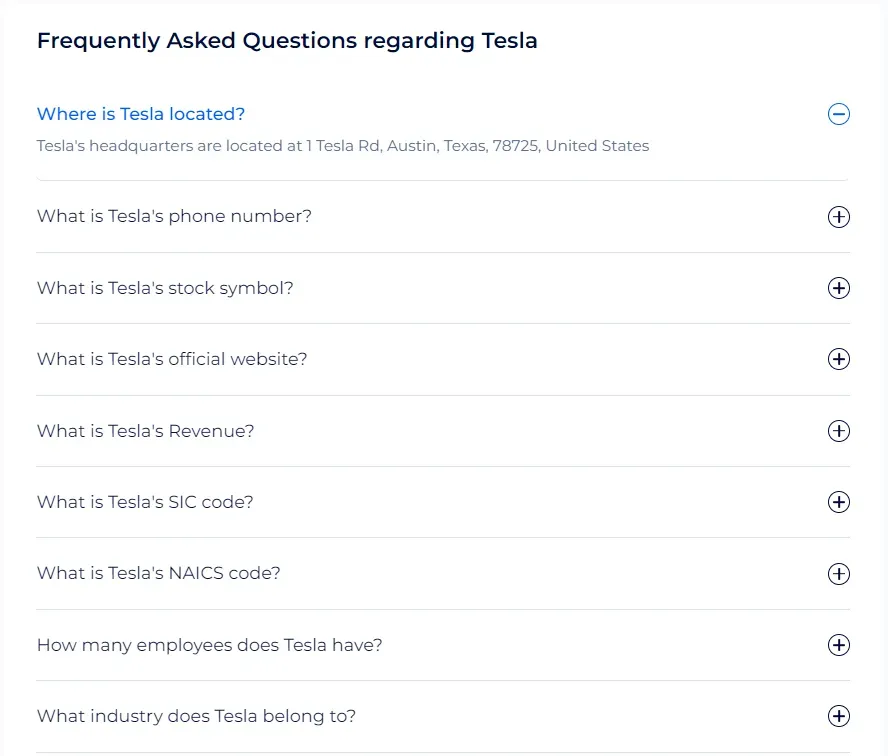
However, this section is found at the bottom of the page, and it requires JavaScript to be fully loaded. Therefore, we’ll use Playwright to scrape this section:
import json
from typing import List, Dict
from parsel import Selector
from playwright.sync_api import sync_playwright

def parse_faqs(html) -> List[Dict]:
    """parse faqs from Zoominfo company pages"""
    selector = Selector(html)
    faqs = []
    for faq in selector.xpath("//div[@class='faqs']/zi-directories-faqs-item"):
        question = faq.css("span.question::text").get()
        answer = faq.css("span.answer::text").get()
        if not answer:
            answer = faq.css("span.answer > p::text").get()
        faqs.append({
            "question": question,
            "answer": answer
        })
    return faqs


def scrape_faqs(url: str) -> List[Dict]:
    """scrape faqs from Zoominfo company pages"""
    with sync_playwright() as p:
        browser = p.chromium.launch(headless=True)
        page = browser.new_page()
        # go to the page URL
        page.goto(url)
        # wait for the FAQ section to load
        page.wait_for_selector("div.faqs")
        # scroll down the page
        page.keyboard.down("End")
        # get the page HTML
        html = page.content()
    # parse the FAQs data
    faqs = parse_faqs(html)
    return faqs

data = scrape_faqs(url="https://www.zoominfo.com/c/tesla-inc/104333869")
print(json.dumps(data, indent=2))
In the above code, we start by initializing a Playwright instance in headless mode. Next, we go to the page URL on Zoominfo, scroll down to the bottom of the page, and wait for the FAQs section to load. Then, we iterate over the questions and answers to parse their data.
With this last feature, our Zoominfo scraper can get the full company details, from financial and managerial information to competitors and FAQs data.
Easy Zoominfo Scraping with WebParsers
We looked at how to scrape Zoominfo.com. It’s known for using multiple anti web scraping technologies, such as Cloudflare, to block web scrapers from collecting public data, and this is where WebParsers can help out!
WebParsers provides web scraping, screenshot, and extraction APIs for data collection at scale:
- Anti-bot protection bypass – scrape web pages without blocking
- Rotating residential proxies – prevent IP address and geographic blocks
- JavaScript rendering – scrape dynamic web pages through cloud browsers
- Full browser automation – control browsers to scroll, input, and click on objects
- Format conversion – scrape as HTML, JSON, Text, or Markdown
- Python and Typescript SDKs, as well as Scrapy and no-code tool integrations
For example, we’ll be using the webparsers-sdk Python package. To start, let’s install it using pip:
$ pip install webparsers-sdk
To take advantage of WebParsers’ API in our Zoominfo web scraper, all we need to do is change our httpx session code with webparsers-sdk client requests.
For scraping Zoominfo, we’ll be using the Anti Scraping Protection Bypass feature which can be enabled via the asp=True argument.
For example, let’s take a look at how we can use WebParsers to scrape a single company page:
from webparsers import WebParsersClient, ScrapeConfig

client = WebParsersClient(key='YOUR_WEBPARSERS_KEY')
result = client.scrape(ScrapeConfig(
    url="https://www.zoominfo.com/c/tesla-inc/104333869",
    # we need to enable Anti Scraping Protection bypass with a keyword argument:
    asp=True,
))
FAQ
To wrap this guide up, let’s take a look at some frequently asked questions about web scraping Zoominfo.com:
Is it legal to scrape Zoominfo.com?
Yes. Data displayed on Zoominfo is publicly available, and we’re not extracting anything private. Scraping Zoominfo.com at slow, respectful rates would fall under the ethical scraping definition. That being said, attention should be paid to GDPR compliance in the EU when scraping personal data such as people’s data.
Is there a public API for Zoominfo?
At the time of writing, Zoominfo doesn’t offer APIs for public use. However, scraping Zoominfo is straightforward, and you can use it to create your own web scraping API.
Are there alternatives for Zoominfo?
Yes, Crunchbase is another popular website for company data that can be scraped using similar techniques.
Zoominfo Scraping Summary
In this tutorial, we built a Zoominfo.com company data scraper. We’ve taken a look at how to scrape company pages by extracting embedded state data rather than parsing HTML files. We also took a look at how to find company pages using either Zoominfo directory pages or its search system.
For this, we used Python with a few community packages like httpx, and to prevent being blocked we used WebParsers’ API which smartly configures every web scraper connection to avoid being blocked.
Legal Disclaimer and Precautions
This tutorial covers popular web scraping techniques for education. Interacting with public servers requires diligence and respect, and here’s a good summary of what not to do:
- Do not scrape at rates that could damage the website
- Do not scrape data that’s not available publicly
- Do not store PII of EU citizens who are protected by GDPR
- Do not repurpose entire public datasets, which can be illegal in some countries
WebParsers does not offer legal advice, but these are good general rules to follow in web scraping. For more guidance, you should consult a lawyer.