
Encountering Cloudflare Error 1015 can be frustrating, particularly when you’re attempting to access important content or services online. This error signals that you’ve been rate-limited, but what exactly does that mean, and how can you resolve it?
In this article, we’ll examine the causes of Error 1015 and offer practical solutions to address it.
Key Takeaways
- Resolve Cloudflare Error 1015 by implementing request delays, using residential proxies, rotating user agents, and utilizing anti-detection measures to successfully bypass rate limiting and access protected websites
- Error 1015 indicates rate limiting when you exceed the allowed number of requests within a specific time period
- Protective mechanisms are configured to prevent DDoS attacks, brute-force attempts, and excessive bot traffic
- Common triggers include excessive requests, automated scripts, and shared network environments
- This is a Cloudflare-specific error that only appears on websites using Cloudflare WAF or anti-bot services
- Rate limiting rules differ by website and can be based on IP address, user agent, or behavioral patterns
- Some blocks are temporary (wait and retry) while others require alternative approaches
- Implement bypass strategies using residential proxies, rotating user agents, and adding request delays
- Use WebParsers integration for built-in proxy rotation and anti-detection measures to prevent 1015 errors
What is Error 1015?
Cloudflare Error 1015, typically displayed as “You are being rate limited”, happens when a user surpasses the number of requests permitted by a website within a certain time frame.
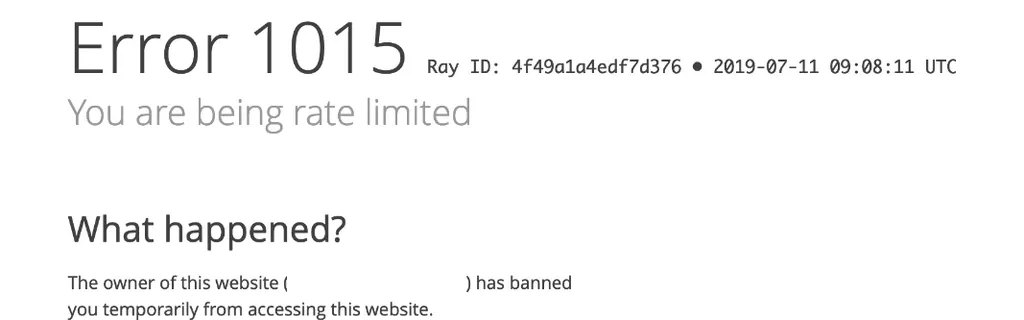
The error may include one of these messages:
- “error 1015 rate limited”
- “service resource is being rate limited”
- “error 1015 you are being rate limited”
- or simply “this resource is being rate limited”
All these messages refer to the same error 1015, just presented differently.
This rate-limiting serves as a protective mechanism to shield websites from malicious activities like Distributed Denial of Service (DDoS) attacks, brute-force login attempts, or web scraping bots.
Some reasons that trigger a Cloudflare 1015 error include:
- Excessive Requests: Sending too many requests in a short timeframe, whether intentionally or unintentionally
- Automated Scripts or Bots: Using automated tools that dispatch multiple requests rapidly
- Shared Networks: Being on a network (such as a corporate or school network) where multiple users access the same service simultaneously
Where is Error 1015 Encountered?
Since error 1015 “rate limited” is specific to Cloudflare, it’s only encountered when a website uses Cloudflare Web Application Firewall (WAF) or Cloudflare’s anti-bot services.
Cloudflare Web Application Firewall (WAF)
Cloudflare WAF functions as a shield between your website and the internet. It monitors and filters incoming traffic based on predefined security rules.
Functions of WAF:
- Blocks Malicious Traffic: Filters out attacks such as SQL injection, cross-site scripting (XSS), and other web exploits
- Customizable Rules: Enables website owners to set specific rules tailored to their application’s requirements
- Real-Time Monitoring: Provides insights into threat patterns and traffic behavior
WAF blocks malicious traffic by returning a 1015 Error page to the client, indicating they are being rate-limited.
Cloudflare Anti-Bot System
The Anti-Bot system is engineered to detect and mitigate automated bot traffic that could be harmful.
Features of Anti-Bot System:
- Behavioral Analysis: Monitors user behavior to differentiate between humans and bots
- Challenge Mechanisms: Implements CAPTCHA or JavaScript challenges to verify users
- Machine Learning: Employs algorithms to adapt to new bot behaviors over time
Cloudflare’s Anti-Bot System treats bot traffic as malicious traffic, even if the bot isn’t spamming the website. Simply detecting a client as automated is sufficient to trigger a 1015 error.
Mitigating Error 1015
As previously mentioned, the 1015 error indicates either rate-limiting or detection as automated traffic (bot). Each cause requires its own mitigation approach.
Rate Limiting
Rate limiting controls how many requests a user can make to a server within a set time period. Understanding how rate limiting operates can help you modify your behavior to avoid triggering it.
Common Axes Used for Rate Limiting:
- IP Address: Limits based on the user’s internet protocol address
- User-Agent Header: Identifies the application, operating system, vendor, and version of the requesting user agent
- Cookies and Session Identifiers: Tracks user sessions to enforce limits
- JavaScript Fingerprinting: Uses browser characteristics (like screen resolution, installed plugins) to create a unique user profile
To avoid getting rate-limited, you can either reduce request frequency by spacing out your requests to the server or use proxies to distribute the workload across multiple IP addresses.
Bot Detection
Most websites have robust bot protection measures to prevent web scraping and automated traffic. When bot traffic is detected, websites typically return a 403 error or 429 error, and in Cloudflare’s case, the HTML displays a 1015 “You are being rate limited” error.
In this scenario, the bot would be rate-limited with no plan from the server to remove that limit, meaning it is permanently blocked.
Bot detection is usually achieved using complex fingerprinting techniques that find loopholes in requests to reveal their automated nature. There are several tools that block those leaks and help bypass fingerprint detection:
- curl_cffi: a Python HTTP client library built on top of curl-impersonate. It modifies the request configuration to mimic normal browsers, which helps bypass bot detection
- undetected-chromedriver: a modified Selenium webdriver with built-in measures to combat websites that block automated headless browsers from scraping their pages
Error 1015 Popular Examples
Many popular websites utilize Cloudflare’s services under the hood, giving them the ability to rate-limit users when suspicious traffic is detected. Let’s examine some common scenarios where you might encounter the 1015 error on popular websites:
Discord
- Scenario: Rapidly sending messages or joining/leaving servers
- Solution: Slow down activities and avoid using bots that automate actions
Crunchyroll
- Scenario: Refreshing pages excessively or using downloaders to save content
- Solution: Use the service as intended and consider subscribing for offline access
ChatGPT
- Scenario: Making too many API requests in a short time
- Solution: Implement rate-limiting in your application and monitor your usage
Red Robin
- Scenario: Placing multiple orders rapidly or refreshing the menu pages
- Solution: Complete one order before starting another and minimize page refreshes
USTravelDocs
- Scenario: Constantly checking for visa appointment availability
- Solution: Limit checks to a reasonable frequency and avoid using automation tools
Chess.com
- Scenario: Rapidly starting and ending games or refreshing leaderboards
- Solution: Engage in games at a normal pace and avoid unnecessary page reloads
Power Up with WebParsers
Bypassing Cloudflare’s Error 1015, while possible, is very challenging—let WebParsers handle it for you!
WebParsers provides web scraping, screenshot, and extraction APIs for data collection at scale. Each product is equipped with automatic bypass for any anti-bot system, achieved through:
- Maintaining a fleet of real, reinforced web browsers with authentic fingerprint profiles
- Millions of self-healing proxies with the highest possible trust score
- Constantly evolving and adapting to new anti-bot systems
FAQ
Here are some common questions about Cloudflare’s 1015 error.
How long does Error 1015 last?
The duration can vary based on the website’s settings. It can range from a few minutes to several hours. It’s best to wait and try again later.
Why am I getting Error 1015 when I haven’t done anything unusual?
Factors like shared IP addresses, background applications making requests, or malware can cause unexpected rate limits. Check your system for any unwanted activity.
Can Error 1015 mean I am permanently blocked?
While Cloudflare Error 1015 typically indicates a temporary rate limit due to excessive requests within a short period, under certain circumstances, it can signify a more prolonged or even permanent block due to repeated violations or suspicious activity.
Summary
Cloudflare Error 1015 serves as a protective measure for websites against excessive or malicious requests. Understanding the reasons behind this error helps users adjust their online activities to prevent future occurrences.
Whether you are being rate limited for frequently requesting a website or you are permanently blocked due to bot detection, WebParsers’ powerful proxy pools and anti-scraping protection measures can help you bypass this error.