
Image scraping has emerged as a widely adopted data collection method utilized across numerous applications, including AI model training and data classification tasks. This makes mastering image scraping techniques crucial for various data extraction projects.
This comprehensive guide explores multiple approaches to scraping images from websites using different methodologies. We’ll examine common image scraping obstacles such as locating hidden images, managing JavaScript-based loading, and implementing these solutions in Python. This tutorial provides complete coverage of essential image data harvesting techniques!
Key Takeaways
Develop expertise in Python image scraping with advanced techniques, dynamic content management, and JavaScript rendering for thorough image data extraction.
- Deploy Python image scraping using requests, BeautifulSoup, and Selenium for both static and dynamic content
- Manage JavaScript-loaded images with browser automation tools like Playwright and Puppeteer
- Set up image download optimization with appropriate headers, user agents, and proxy rotation
- Execute image metadata extraction including alt text, dimensions, and source URLs
- Utilize specialized tools like ScrapFly for automated image scraping with anti-blocking features
- Configure data storage and organization for efficient image collection and management
How Websites Store Images?
When websites receive image uploads, they store these files on web servers as static resources with unique URL addresses. Websites reference these links to display images on web pages.
Typically, image links appear within img HTML element’s src attribute:
<img src="https://www.domain.com/image.jpg" alt="Image description">
The src attribute contains the image URL while the alt attribute provides the image description.
Websites can also modify image resolution and dimensions based on user device and display specifications. For this functionality, the srcset attribute is employed:
<img srcset="image-small.jpg 320w, image-medium.jpg 640w, image-large.jpg 1024w" sizes="(max-width: 640px) 100vw, 50vw" alt="Image description">
In this example, the website maintains different image resolutions for the same image to provide optimal browsing experiences.
Therefore, when web scraping for images, we’ll primarily search for img tags and their src or srcset attributes. Let’s examine this process.
Setup
Throughout this guide, we’ll extract images from various websites that present different image scraping challenges. We’ll utilize several Python libraries that can be installed using the pip terminal command:
pip install httpx playwright beautifulsoup4 cssutils jmespath asyncio numpy pillow
We’ll employ httpx for sending requests and playwright for operating headless browsers. BeautifulSoup for HTML parsing, cssutils for CSS parsing, and JMESPath for JSON searching. Additionally, we’ll use asyncio for asynchronous web scraping, numpy and pillow for scraped image manipulation and processing.
Image Scraper with Python
Let’s begin with a fundamental image scraper using Python. We’ll utilize httpx for sending requests and BeautifulSoup for HTML parsing, scraping HTML pages and extracting image data from the web-scraping.dev website.
To scrape images, we’ll first retrieve HTML pages and use BeautifulSoup parsing for img elements containing image URLs in src or srcset attributes. The binary image data can then be scraped like any other HTTP resource using HTTP clients such as httpx.
Applying this methodology, let’s create a Python image crawler that gathers all product images (across 4 pagination pages) from the web-scraping.dev/products website:
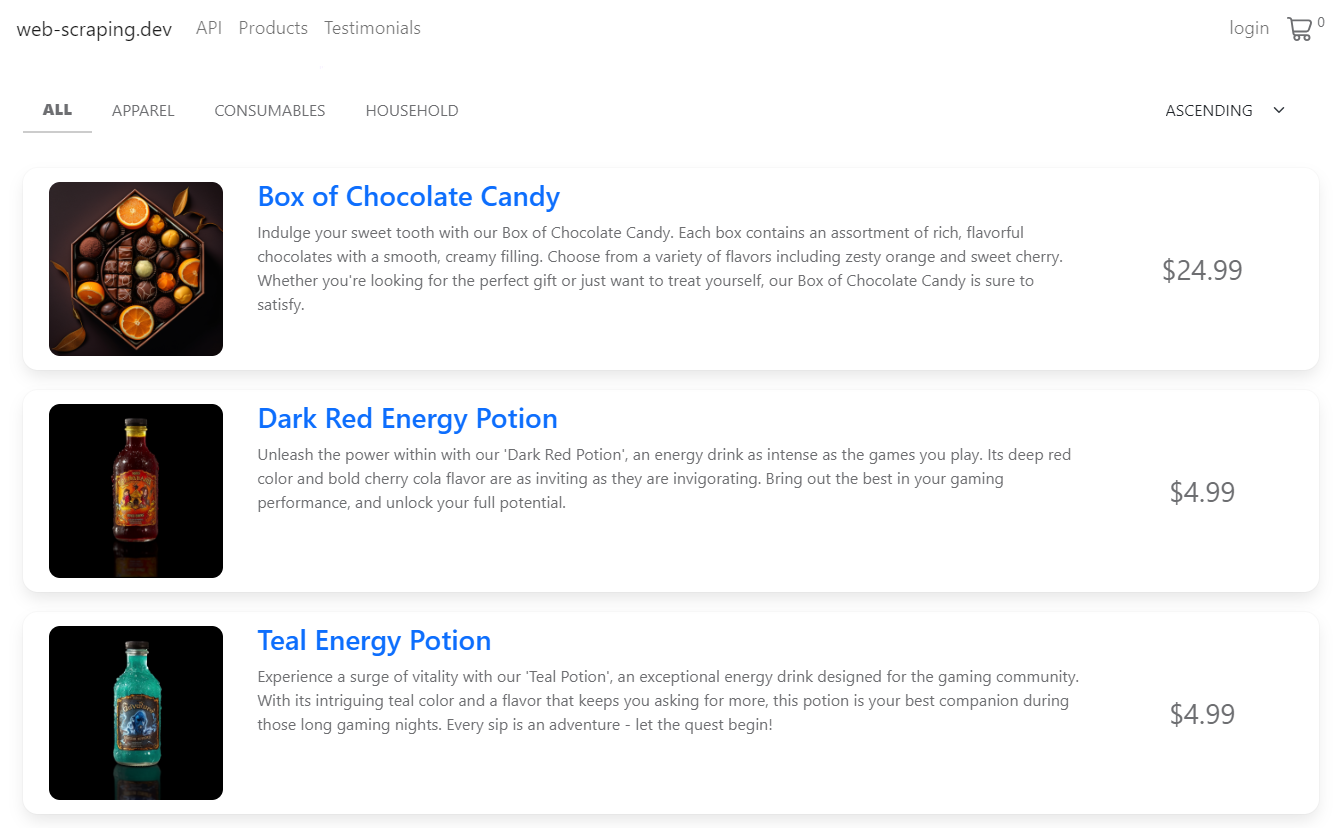
screencapture of products display for scraping
product images on web-scraping.dev
This website contains multiple product pages, so let’s attempt to capture all of them.
We’ll build a web crawler that:
- Iterates through pages and collects page HTMLs.
- Parses each HTML using beautifulsoup for img elements.
- Selects src attributes containing direct image URLs.
Then, we’ll use httpx to GET request each image URL and download the images:
import httpx
from bs4 import BeautifulSoup

# 1. Find image links on the website
image_links = []
# Scrape the first 4 pages
for page in range(4):
    url = f"https://web-scraping.dev/products?page={page}"
    response = httpx.get(url)
    soup = BeautifulSoup(response.text, "html.parser")
    for image_box in soup.select("div.row.product"):
        result = {
            "link": image_box.select_one("img").attrs["src"],
            "title": image_box.select_one("h3").text,
        }
        # Append each image and title to the result array
        image_links.append(result)

# 2. Download image objects
for image_object in image_links:
    # Create a new .png image file
    with open(f"./images/{image_object['title']}.png", "wb") as file:
        image = httpx.get(image_object["link"])
        # Save the image binary data into the file
        file.write(image.content)
        print(f"Image {image_object['title']} has been scraped")
We employ CSS selectors to extract the title and image URL from each product container and add them to the image_links list. Subsequently, we iterate through this list and create a PNG file for each image using the product title as the filename. Next, we send a GET request to each image URL and store the image binary data.
Here is the result we obtained:
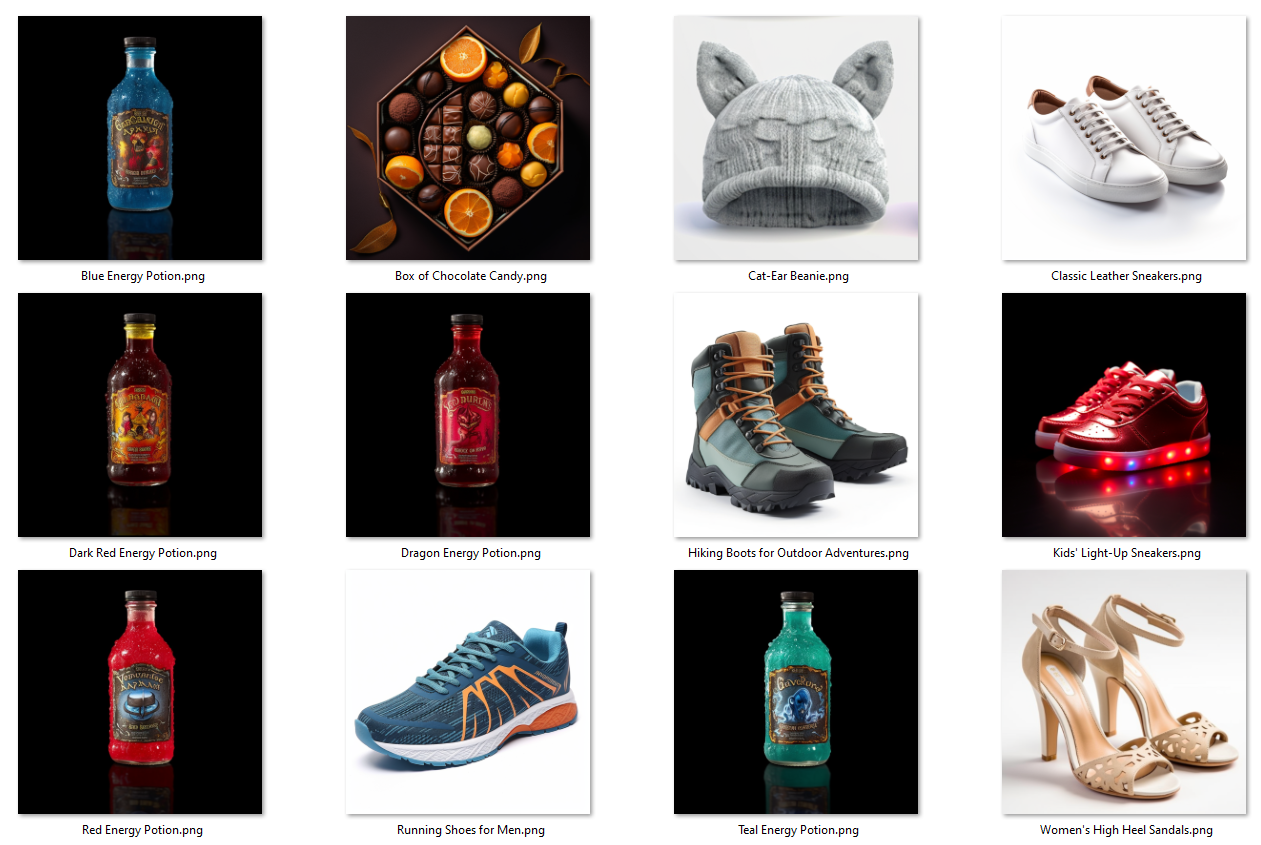
Image scraping with Python and BeautifulSoup result
Excellent! Our Python web crawler successfully downloaded all images and saved them to the output folder with product titles as image names.
Different Image Scraping Challenges
Our example Python image scraper was relatively straightforward. However, real-world image scraping isn’t always simple. Let’s examine some common image scraping challenges.
Scrape Background Images
Background images are images embedded within CSS style rules. This means the actual image URLs cannot be found in HTML. For example, this webpage contains a background image:
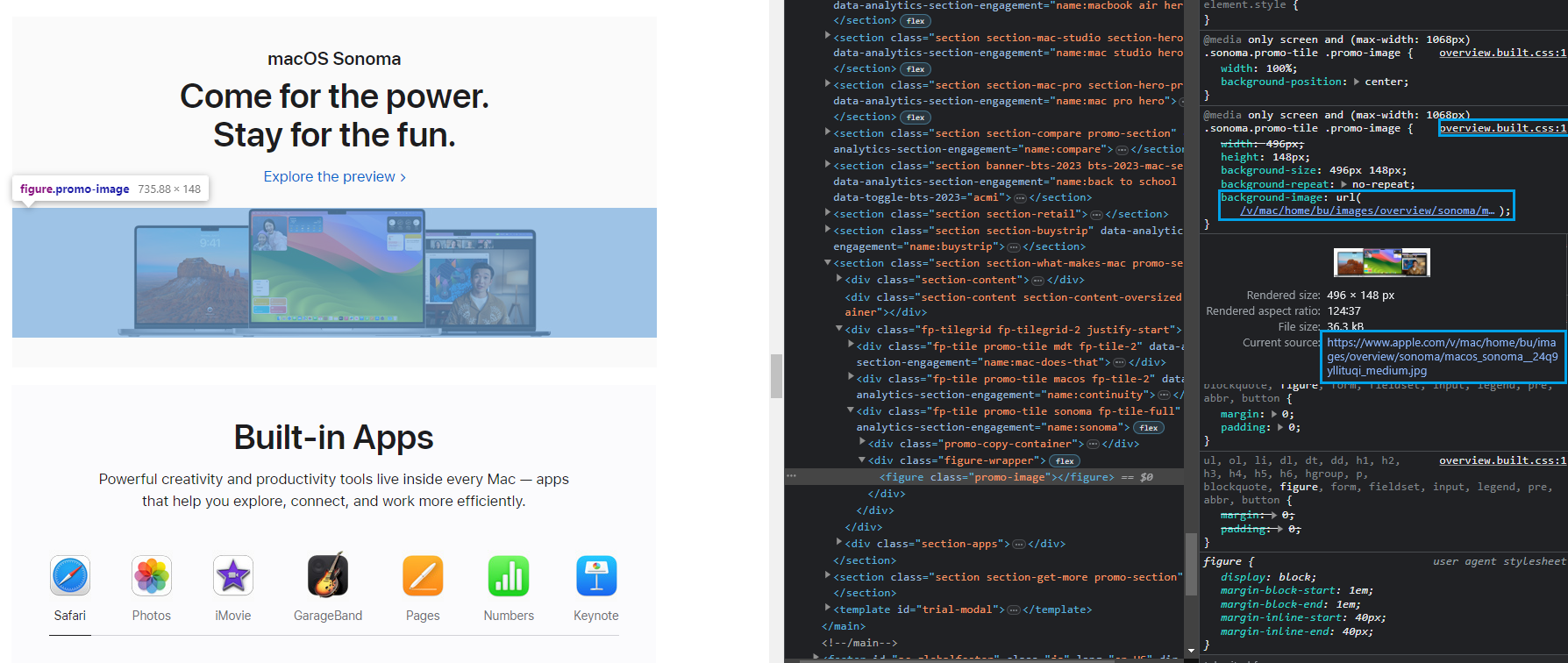
screencapture of background image use on Apple.com website
We can clearly see the image on the web page, but we cannot locate the actual img tag in HTML. However, it exists in CSS under the background-image property within a CSS file overview.css. To scrape this image, we need to retrieve this CSS file and extract the image URL from it.
First, to obtain the CSS file link address, we can use the same devtools explorer and right-click on the CSS filename:
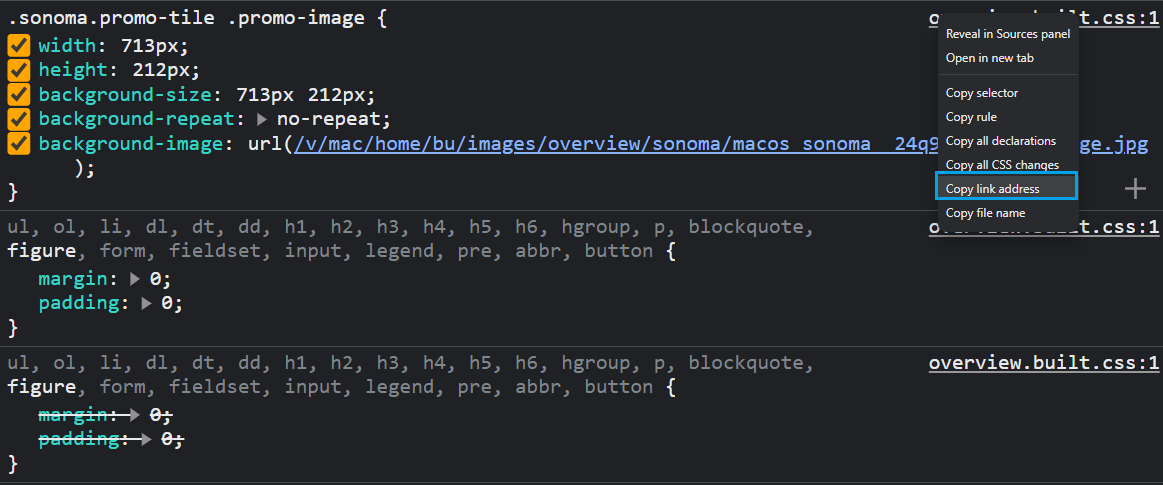
screengrab of Chrome devtools use to copy background links
Now we can scrape this CSS file and parse it using cssutils to extract the background image URL:
import httpx
import cssutils

css_url = "https://www.apple.com/mideast/mac/home/bu/styles/overview.css"
r = httpx.get(css_url)
css_content = r.text

# Parse the CSS content
sheet = cssutils.parseString(css_content)

image_links = []
# Find all rules containing background images
for rule in sheet:
    if rule.type == rule.STYLE_RULE:
        for property in rule.style:
            # Get all background-image properties
            if property.name == "background-image" and property.value != "none":
                result = {
                    "link": "https://www.apple.com" + property.value[4:-1],
                    "title": property.value[4:-1].split('/')[-1]
                }
                image_links.append(result)

for image_object in image_links:
    with open(f"./images/{image_object['title']}", "wb") as file:
        image = httpx.get(image_object["link"])
        file.write(image.content)
        print(f"Image {image_object['title']} has been scraped")
Here, we iterate through all style rules in the CSS sheet and search for properties named background-image. Then, we extract all image links using property values and append results to an array. Finally, we use httpx to download all images using each image link.
Here is the background image scraper result:
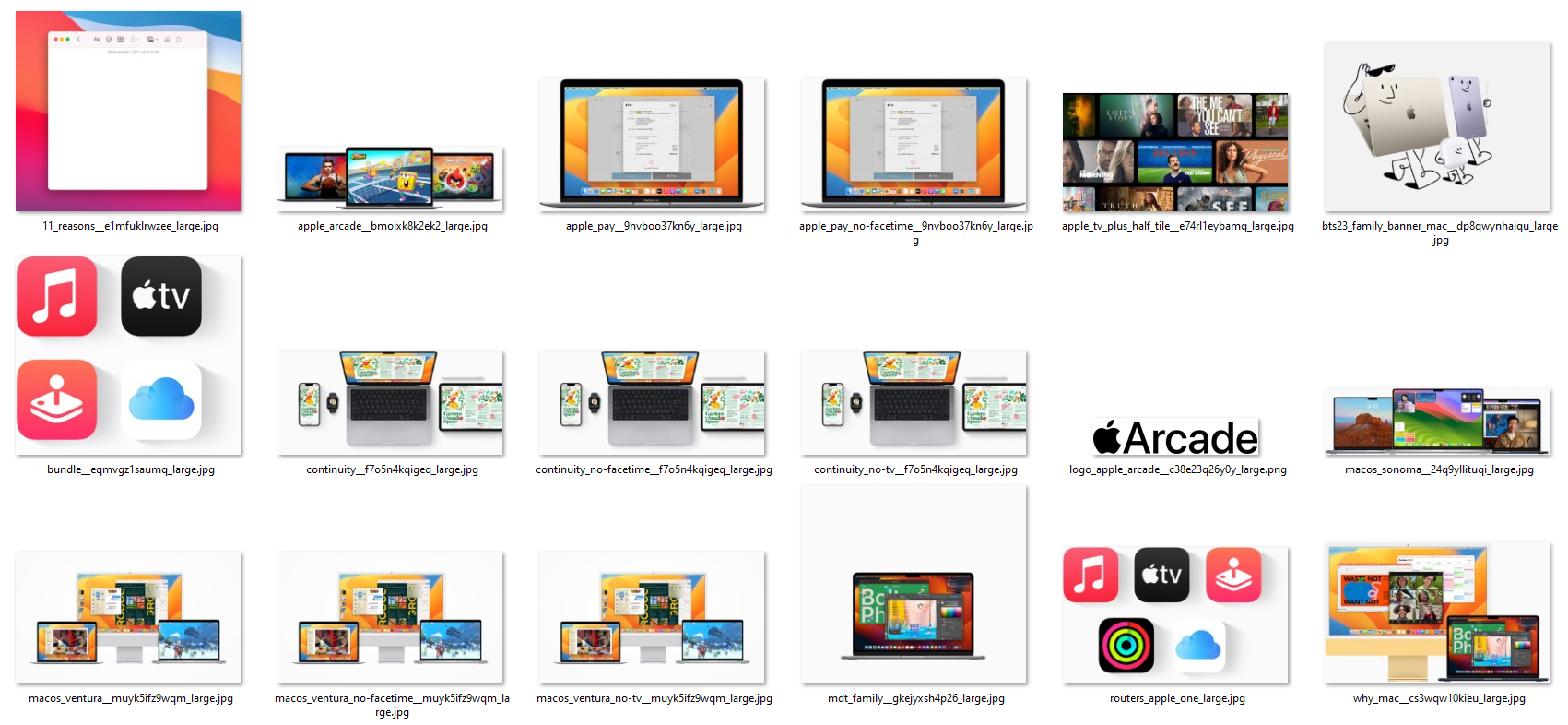
collection of results from background image scraping
We successfully scraped all background images from this webpage. Let’s proceed to the next image scraping challenge.
Scrape Split Images
Split images consist of multiple images grouped together to create one unified image. This image type appears as a single image but comprises smaller images in the page HTML.
For instance, the following image on this behance.net webpage consists of multiple images combined vertically:
screencapture of an image that is split through multiple files
To scrape this image as it displays on the webpage, we’ll scrape all images and combine them vertically.
First, let’s begin with image scraping:
import httpx
from bs4 import BeautifulSoup

# any URL to behance gallery page
url = "https://www.behance.net/gallery/148609445/Vector-Illustrations-Negative-Space"

request = httpx.get(url)

index = 0
image_links = []

soup = BeautifulSoup(request.text, "html.parser")
for image_box in soup.select("div.ImageElement-root-kir"):
    index += 1
    result = {
                "link": image_box.select_one("img").attrs["src"],
                "title": str(index) + ".png"
            }
    image_links.append(result)
    # Scrape the first 4 images only
    if index == 4:
        break

for image_object in image_links:
    with open(f"./images/{image_object['title']}", "wb") as file:
        image = httpx.get(image_object["link"])
        file.write(image.content)
        print(f"Image {image_object['title']} has been scraped")
The above image scraping code enables us to scrape the first 4 images from this webpage. Next, we’ll combine the retrieved images vertically using numpy and pillow:
import numpy as np
from PIL import Image

list_images = ["1.png", "2.png", "3.png", "4.png"]
images = [Image.open(f"./images/{image}") for image in list_images]

min_width, min_height = min((i.size for i in images))
# Resize and convert images to 'RGB' color mode
images_resized = [i.resize((min_width, min_height)).convert("RGB") for i in images]
# Create a vertical stack of images
imgs_comb = np.vstack([np.array(i) for i in images_resized])
# Create a PIL image from the numpy array
imgs_comb = Image.fromarray(imgs_comb)

# Save the concatenated image
imgs_comb.save("./images/vertical_image.png")
Here is the split image scraper result:
Image result
Scrape Hidden Images
Hidden web data consists of content loaded into web pages using JavaScript, typically found in JavaScript script tags in JSON format.
For example, examining this lyst.com webpage, we can locate image links in HTML:
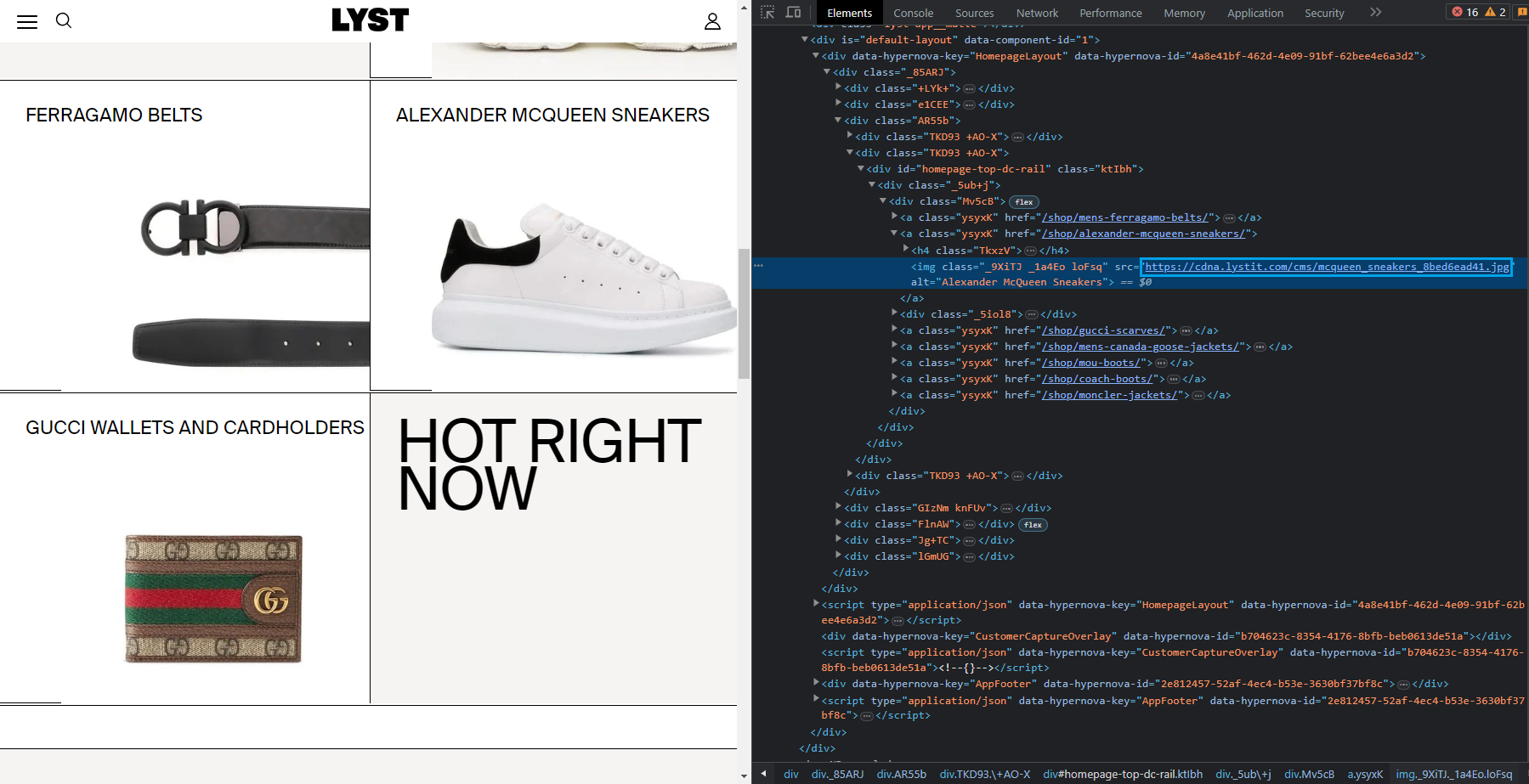
Target website with hidden images
lyst.com as seen in browser devtools HTML inspector
Let’s attempt to scrape these image links as we did previously:
import httpx
from bs4 import BeautifulSoup

request = httpx.get('https://www.lyst.com/')
soup = BeautifulSoup(request.text, "html.parser")

for i in soup.select("a.ysyxK"):
    print(i.select_one('img').attrs["src"])
We can observe that we received base64-encoded data instead of actual URLs.
These values serve as placeholders until page JavaScript inserts real images during page load. Since our image scraper lacks a web browser with JavaScript engine, this image loading process cannot occur. There are two approaches to address this:
- Use headless browsers and load the page to render images.
- Find image URLs in HTML source code.
Since headless browsers are resource-intensive and slow, let’s try the latter approach. In this example, we can find these image URLs in the script tag:
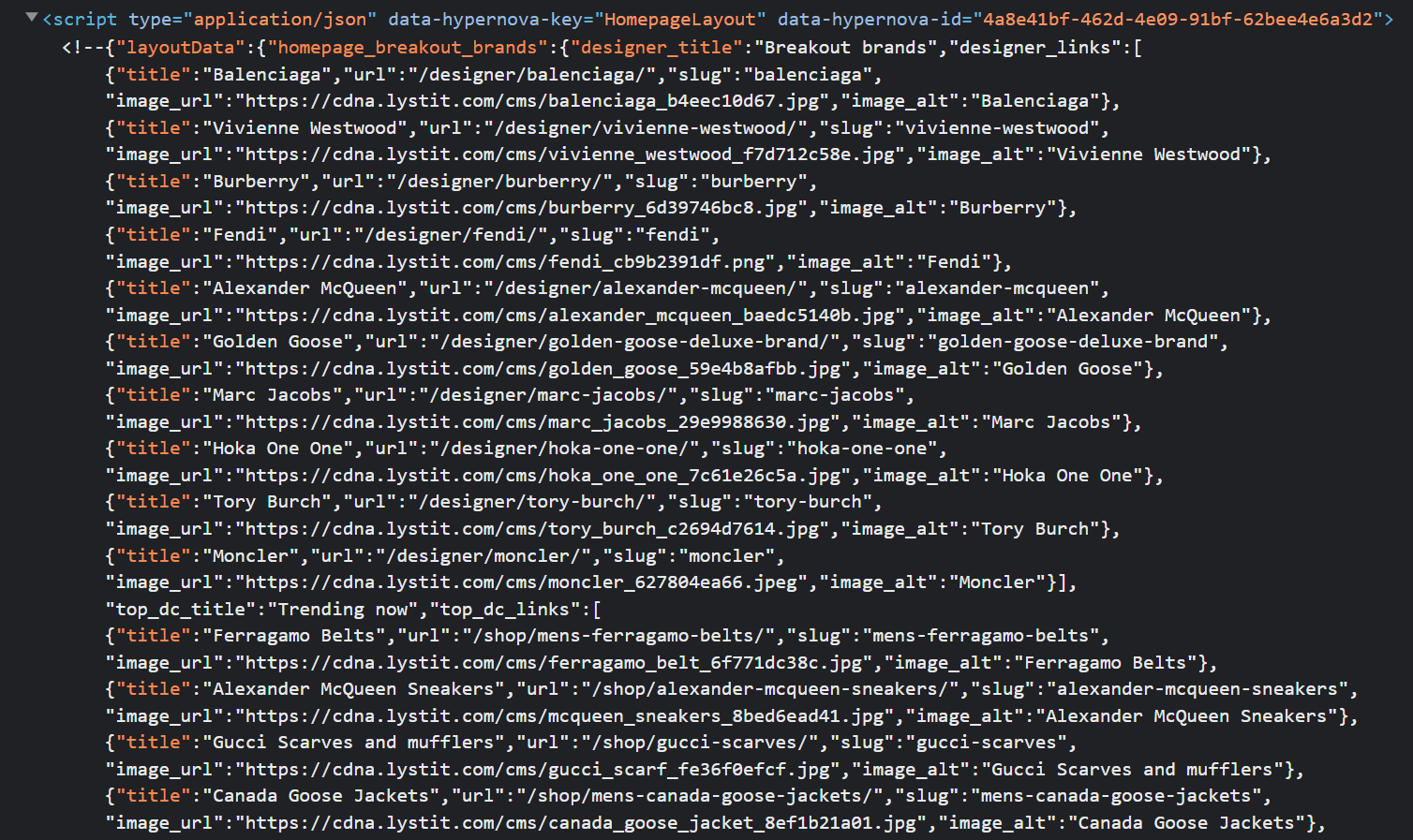
So we can scrape this HTML and locate this particular <script> element for the product data JSON which contains product images.
To find image URLs in JSON datasets, we’ll use Jmespath, a Python package for JSON parsing. We’ll use it to search for image URLs in the script tag. Then, we’ll scrape images by sending requests to each image URL as before. Here’s how:
import httpx
from bs4 import BeautifulSoup
import json
import jmespath
import re

request = httpx.get("https://www.lyst.com/")
soup = BeautifulSoup(request.text, "html.parser")

script_tag = soup.select_one("script[data-hypernova-key=HomepageLayout]").text

# Extract JSON data from the HTML
data_match = re.search(r"", script_tag, re.DOTALL)
data = data_match.group(1).strip()

# Select the image data dictionary
json_data = json.loads(data)["layoutData"]["homepage_breakout_brands"]

# JMESPath search expressions
expression = {
    "designer_images": "designer_links[*].{image_url: image_url, image_alt: image_alt}",
    "top_dc_images": "top_dc_links[*].{image_url: image_url, image_alt: image_alt}",
    "bottom_dc_images": "bottom_dc_links[*].{image_url: image_url, image_alt: image_alt}",
}

# Use JMESPath to extract the values
designer_images = jmespath.search(expression["designer_images"], json_data)
top_dc_images = jmespath.search(expression["top_dc_images"], json_data)
bottom_dc_images = jmespath.search(expression["bottom_dc_images"], json_data)
image_links = designer_images + top_dc_images + bottom_dc_images

for image_object in image_links:
    with open(f"./images/{image_object['image_alt']}.jpg", "wb") as file:
        image = httpx.get(image_object["image_url"])
        file.write(image.content)
        print(f"Image {image_object['image_alt']} has been scraped")
Here, we use regex to extract JSON data from HTML. Then, we load the data into a JSON object and search for image links and titles using JMESPath. Finally, we download images using httpx.
Here is the hidden image scraper result:
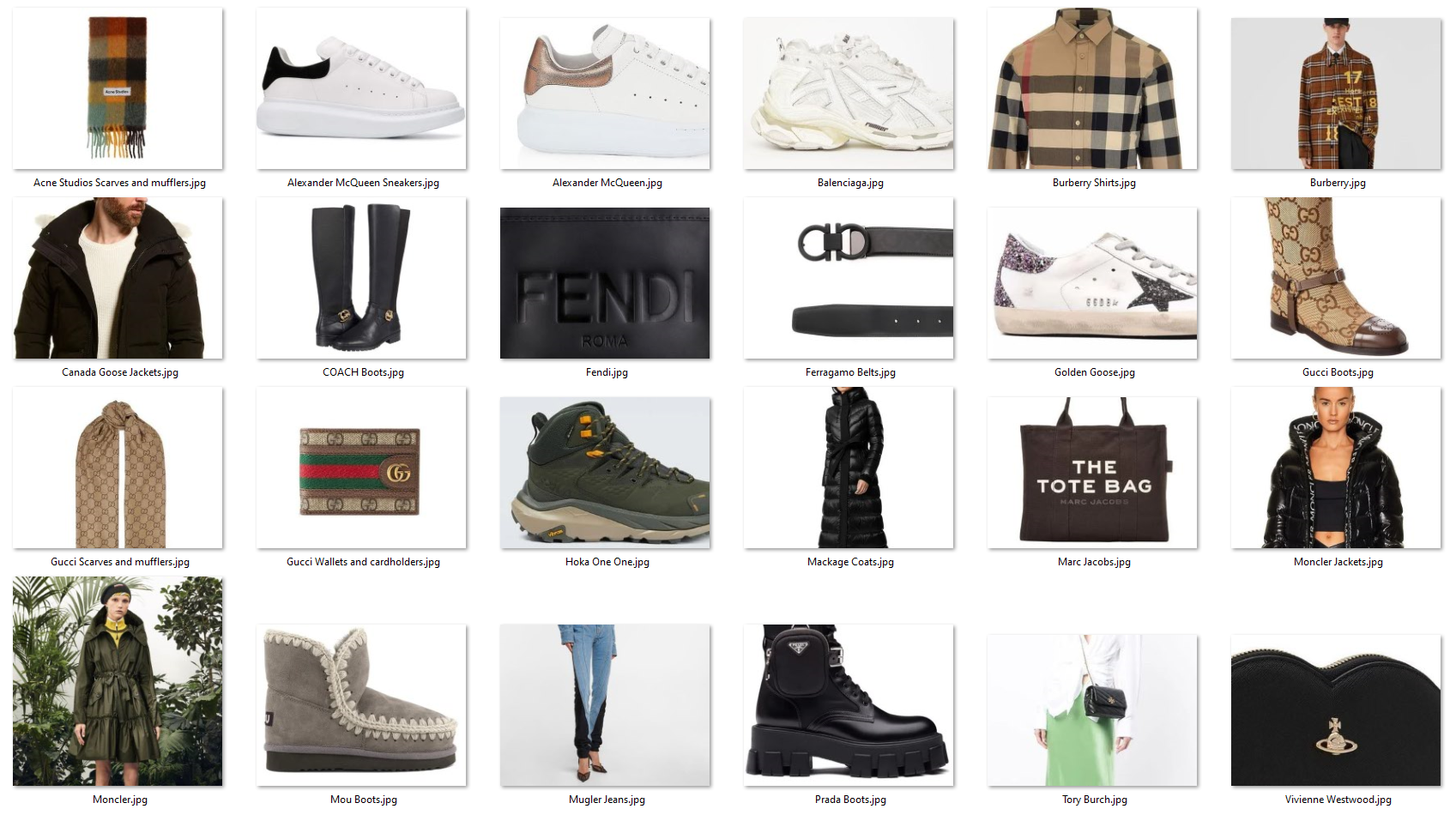
Scrape JavaScript Loaded Images
Many websites utilize JavaScript to render images as it creates smoother and more dynamic image loading experiences. For example, let’s examine the Van Gogh gallery:
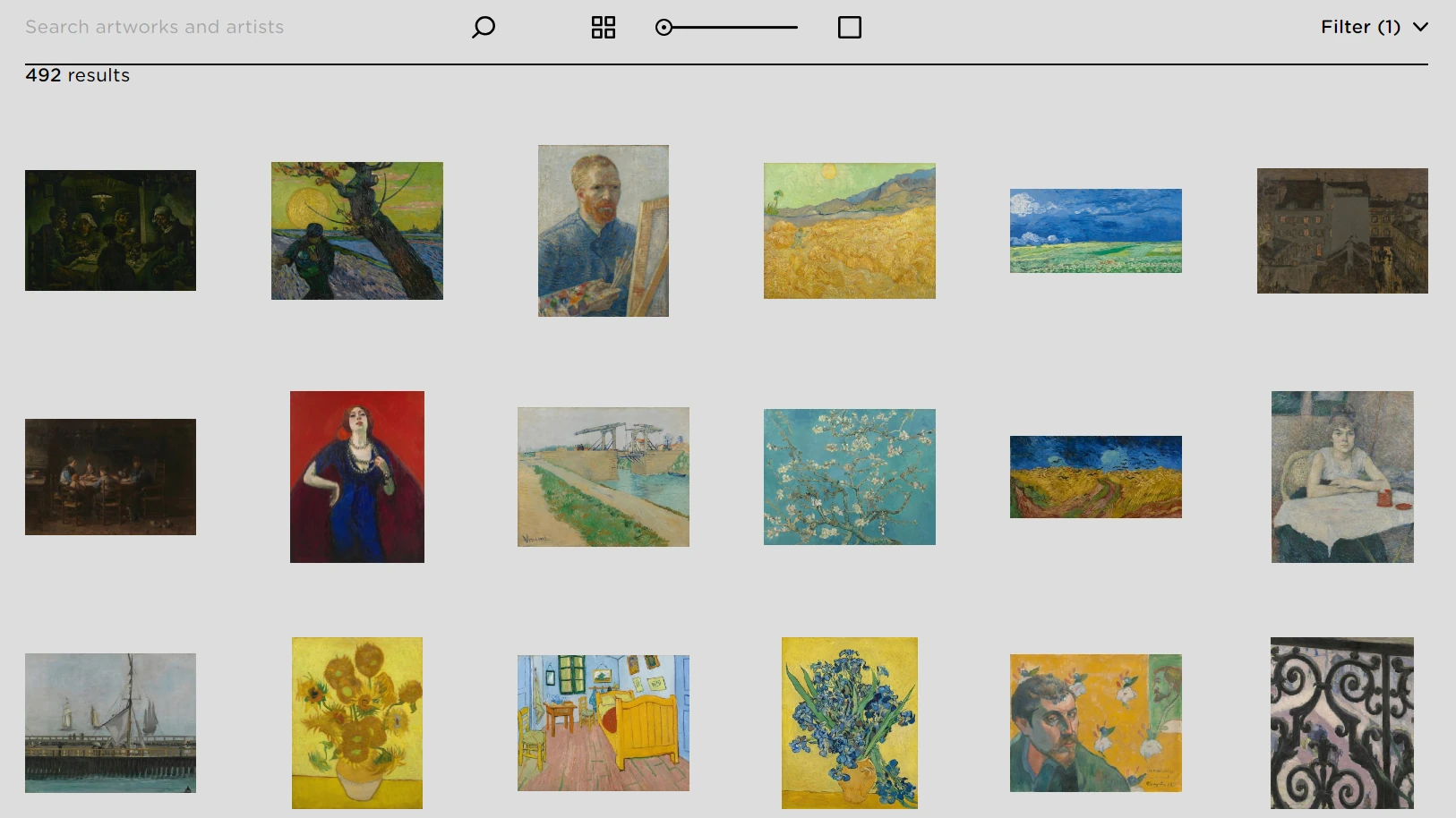
This website not only renders images using JavaScript but also uses scroll-triggered loading to render additional images. This makes image scraping more challenging. We’ll use Playwright to scroll down and render more images, then scrape images using httpx:
import asyncio
from playwright.async_api import async_playwright
from bs4 import BeautifulSoup
import httpx
from typing import List

# Scrape all image links
async def scrape_image_links():
    # Intitialize an async playwright instance
    async with async_playwright() as playwight:
        # Launch a chrome headless browser
        browser = await playwight.chromium.launch(headless=False)
        page = await browser.new_page()

        await page.goto("https://www.vangoghmuseum.nl/en/collection")
        await page.mouse.wheel(0, 500)
        await page.wait_for_load_state("networkidle")
        # parse product links from HTML
        page_content = await page.content()
        image_links = []
        soup = BeautifulSoup(page_content, "html.parser")
        for image_box in soup.select("div.collection-art-object-list-item"):
            result = {
                "link": image_box.select_one("img")
                .attrs["data-srcset"]
                .split("w,")[-1]
                .split(" ")[0],
                "title": image_box.select_one("img").attrs["alt"],
            }
            image_links.append(result)
        return image_links

image_links = asyncio.run(scrape_image_links())

async def scrape_images(image_links: List):
    client = httpx.AsyncClient()
    for image_object in image_links:
        with open(f"./images/{image_object['title']}.jpg", "wb") as file:
            image = await client.get(image_object["link"])
            file.write(image.content)
            print(f"Image {image_object['title']} has been scraped")

asyncio.run(scrape_images(image_links))
Here we use the mouse.wheel method to simulate scrolling down, then we wait for page loading before parsing HTML. Next, we select the highest image resolution from the data-srcest attribute and return results. Finally, we scrape all images using async requests.
Here is the dynamic image scraper result:
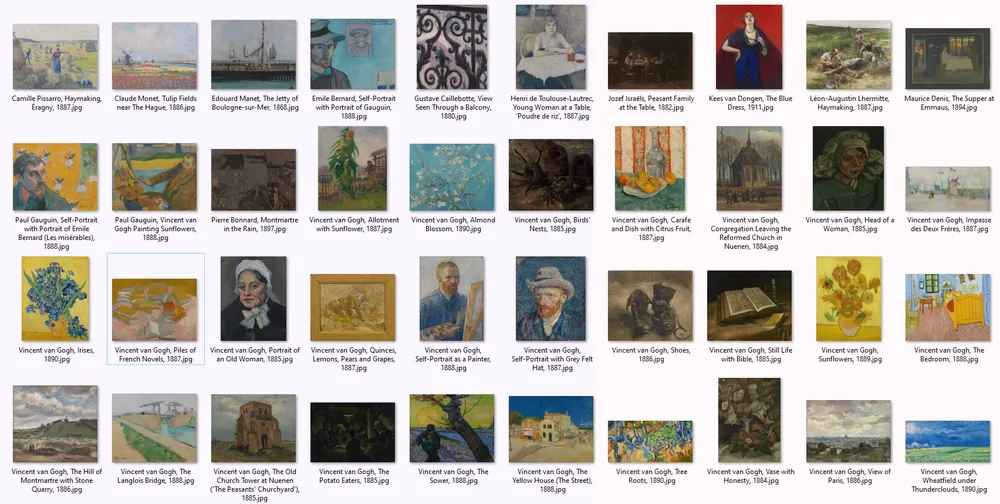
image scraping results
Although we scraped dynamically loaded images, running headless browsers consumes resources and requires significant time. Let’s examine a better solution!
Powering up with Webparsers
Web scraping images can often be quite straightforward, but scaling up such scraping operations can be difficult, and this is where Webparsers can lend a hand!
scrapfly middleware
Webparsers provides web scraping, screenshot, and extraction APIs for data collection at scale.
- Anti-bot protection bypass – extract web pages without blocking!
- Rotating residential proxies – prevent IP address and geographic blocks.
- LLM prompts – extract data or ask questions using LLMs
- Extraction models – automatically find objects like products, articles, jobs, and more.
- Extraction templates – extract data using your own specification.
- Python and Typescript SDKs, as well as Scrapy and no-code tool integrations.
FAQ
To wrap up this image scraping guide, let’s examine some frequently asked questions.
How does web scraping for images work?
Image scraping operates by parsing HTML to obtain image URLs and sending HTTP requests to these URLs to download them.
How to scrape dynamically loaded images?
Dynamic content on websites functions by loading data into HTML using JavaScript. For this, you need to scrape image URLs using a headless browser and download them using an HTTP client.
How to scrape all images from a website using Python?
To scrape all images from websites, first images must be discovered through web crawling, then the standard image scraping process can be applied. For more on crawling, see Crawling With Python introduction.
How can I get image src in HTML for image scraping?
Image data can be extracted from img HTML elements using selectors like CSS and XPath with parsing libraries such as BeautifulSoup.
Summary
In this guide, we’ve taken an comprehensive look at web scraping for images using Python. In summary, image scraping involves parsing scraped HTML pages to extract image links and downloading them using HTTP clients. We also examined the most common image-scraping challenges and how to overcome them:
- Background images, which are located in CSS style data.
- Split images, which are multiple images combined together in HTML.
- Hidden images in HTML, which are found under JavaScript script tags.
- Dynamically loaded images using JavaScript.